
How to Generate Database Script with Table Data From SQL Server
Generating a database script means the creation of all the tables, views, stored procedures, functions and other contents of a particular database. Now the question is what is the use of generating scripts? Because then we can easily backup the database and restore it.
So a real-world problem is, suppose you have a database in MS SQL Server 2005 or 2003. Now the requirement is to move all the databases to MS SQL Server 2008. So normally we will do a backup and restore process. But that is not possible because of the Versioning problem. We can’t restore a database from a lower version database to an upper version. Upper to lower is possible.
So generating a whole database script is very useful. It will generate the required login credentials also.
You just run the script in the query window. That’s it. The database will be created with its entire table and data.
Generate Database Script in SQL Server
Step 1
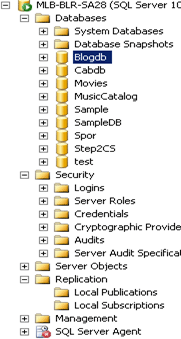
Open SQL Server 2008 and select the database that you want to generate the script for. In my case, I have selected the “BlogDb” database.
Step 2
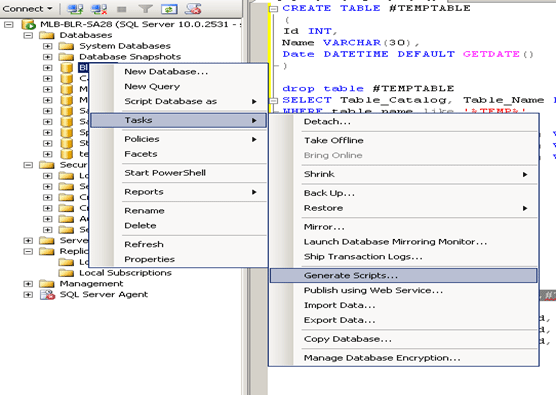
Now right-click the database then Tasks->Generate scripts.
Step 3
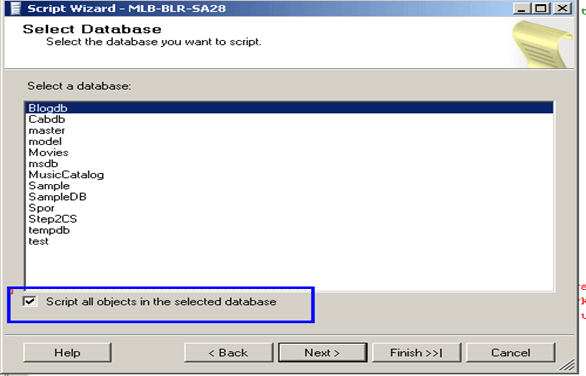
After that a window will open. Select the database and always check “script all objects in the selected database”. It will generate a script for all the tables, sp, views, functions and anything in that database.
Step 4
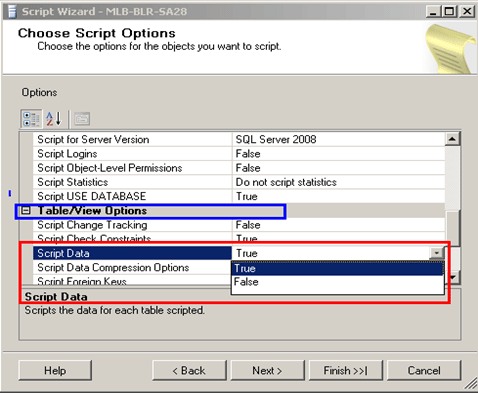
After that, under “Table View Options” make true “Script data”. So the table’s data in the database will also be created. After that click “Next”.
Step 5
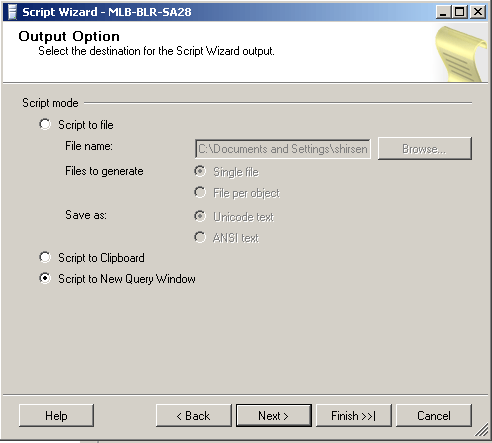
In this window, you will get the options for where you want to publish your database script.
By default, it will be “New query window”. You can save the script file also by checking “script to file”. After that click the “Next” button.
Step 6
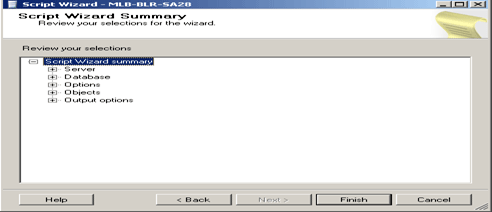
Click Finish Button.
Step 7
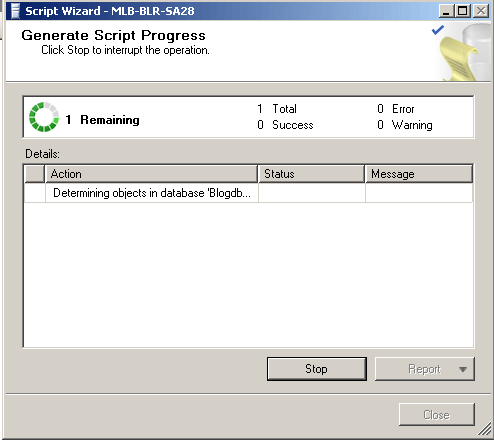
After clicking the Finish button you will see a window like the following window.
Step 8
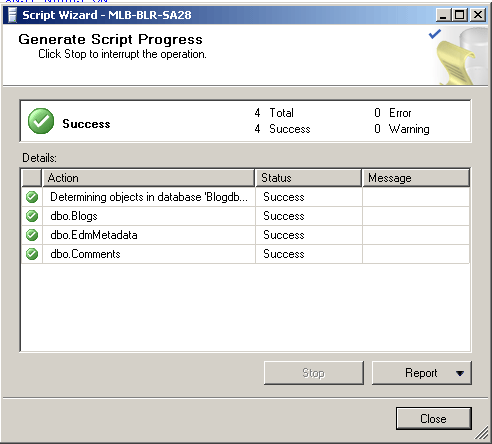
After successfully converting the scripts you will see the following window. Press the close button.
Step 9
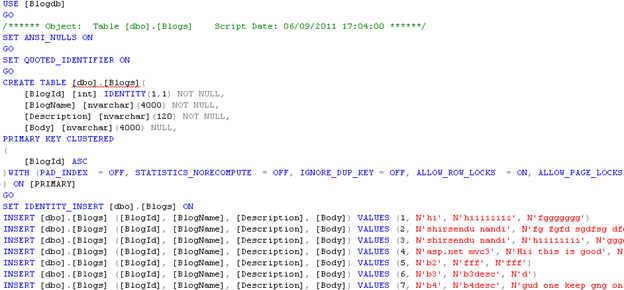
See in the following figure the script has been generated with the table with inserted data query also generated because while generating the script we select the Dropdownlist “script data= true”
Conclusion
So in this article, we have seen how to generate a database script with all its object and data.